

LiteEngine | A Custom C++ / OpenGL 2D Game Engine
Abstract
Abstract
Aim
The goal of LiteEngine is to build a game engine architecture from the ground up, applying the same design patterns found in production engines — layer stacks, abstracted renderer APIs, resource management, and camera systems. The project is a deliberate study of how a real-time graphics application is structured beneath the surface of high-level frameworks, with the Breakout game serving as concrete proof that the engine can drive a complete interactive application.
Introduction
Most developers working with game engines never interact with what lies underneath — the window context, the graphics API calls, the buffer layouts, or the render pass structure. LiteEngine is an effort to understand and build all of those layers from first principles.
The engine is written in C++17 on Windows using Visual Studio, with Premake5 generating the build files. OpenGL is the graphics API, GLFW manages the platform window and input, and Glad resolves OpenGL function pointers at runtime. Dear ImGui runs as a debug overlay on the docking branch. glm handles all math, and spdlog provides structured logging across both the engine and client layers.
The architecture separates the engine into a static library and a Sandbox client. The engine owns the run loop and exposes an Application base class that the client subclasses. Rendering, input, events, and windowing are each abstracted behind platform-agnostic interfaces, so the OpenGL-specific code lives in one folder and the rest of the engine never directly calls it.
Literature Survey & Technologies Used
OpenGL
OpenGL is a cross-platform graphics API that exposes the GPU's programmable pipeline through a C-style interface. In LiteEngine it handles everything from vertex buffer management and shader compilation to texture uploads and framebuffer objects used in the post-processing pipeline. The Glad loader resolves all function pointers at runtime, keeping the code compatible across driver versions.
GLFW
GLFW is a lightweight library for creating platform windows with an OpenGL context and routing input events. LiteEngine wraps it behind a platform-agnostic Window class so the engine layer is never directly coupled to GLFW, leaving room to support other windowing backends in the future.
Dear ImGui
Dear ImGui is an immediate-mode GUI library widely used for in-engine debug tooling and editor panels. It is integrated as a Git submodule on the docking branch. One significant issue encountered during setup was that Git's automatic line-ending conversion corrupted the base85-encoded binary font data embedded in the library, requiring a .gitattributes configuration to enforce consistent LF endings inside the submodule.
glm
glm provides GLSL-compatible vector and matrix types directly in C++, making it natural to write transform and projection math that feeds straight into shader uniforms. It is used throughout LiteEngine for position and color data, camera matrices, and quad transforms in the 2D renderer.
spdlog
spdlog is a fast, header-only logging library. LiteEngine wraps it with two sets of macros — LE_CORE_* for engine-side logging and LE_* for client-side logging — so output from the engine internals and the game application are always clearly separated in the console.
Premake5
Premake5 is a Lua-scripted build configuration tool that generates Visual Studio solution and project files from a single script. Each vendor library has its own Premake file, and a root workspace script ties them all together. A GenerateProjects.bat script at the repo root regenerates the entire solution with one command.
Technology Summary
| Technology | Role in LiteEngine |
|---|---|
| C++17 | Primary engine language; templates, smart pointers, structured bindings |
| OpenGL | Low-level graphics API; shaders, VAO/VBO, framebuffer objects, texture units |
| GLFW | Platform window creation, OpenGL context, input events |
| Glad | OpenGL function pointer loader; resolves extension functions at runtime |
| Dear ImGui (docking) | Immediate-mode debug UI overlay integrated as a Git submodule |
| spdlog | Structured logging with LE_CORE_* macros for engine and LE_* for client |
| glm | GLSL-compatible math library: vec2/3/4, mat4, transforms, projections |
| stb_image | Single-header image loader for PNG and JPG texture assets |
| Premake5 | Lua-based build system generating Visual Studio .sln and .vcxproj files |
Methodology
Engine Architecture
LiteEngine is structured as a static library (.lib) consumed by a Sandbox executable. The engine exposes an Application base class that the client subclasses, with the run loop owned entirely by the engine. Each frame, the engine calls Update and dispatches events down a Layer Stack — an ordered collection of layers and overlays where events propagate from the top until one layer marks them handled.
The Renderer2D is the primary drawing interface exposed to the client. It provides a DrawQuad call that accepts a position, size, and either a flat color or a texture. Internally this writes to a vertex buffer and issues a draw call through the OpenGL backend. The design is structured so geometry can eventually be batched into a single VBO flush per frame.
Abstraction Strategy
Every platform-specific concept sits behind an abstract interface. The Window is implemented by a GLFWWindow class, but the rest of the engine only touches the Window interface. The same pattern applies to VertexBuffer, IndexBuffer, VertexArray, Texture, and the RendererAPI itself — the OpenGL implementations are isolated in a Platform folder and swapped in at startup. This keeps the core engine clean and makes adding a new backend a matter of implementing the interfaces rather than changing engine code.
Build System and Naming Conventions
- Macro prefix:
LE_| Namespace:LiteEngine| File prefix:le - Build targets: LiteEngine (static lib) and Sandbox (client executable)
- All Premake files use matching
staticruntimeandruntimefilter settings to prevent CRT linker conflicts - Working directory set to the Sandbox folder so texture and asset paths resolve correctly at runtime
Completed Systems
| System | Description | Status |
|---|---|---|
| Application Layer | Base Application class, run loop, layer stack integration | Complete |
| Window Abstraction | GLFW window with OpenGL context via Glad; resize and close events | Complete |
| Event System | Typed event dispatcher; keyboard, mouse, and window events | Complete |
| Layer Stack | Ordered push/pop layers and overlays; ImGui overlay on top | Complete |
| ImGui Integration | Docking branch submodule with LF line-ending fix via .gitattributes | Complete |
| Logging | spdlog backend with engine-side and client-side macro separation | Complete |
| Input Polling | Platform-agnostic IsKeyPressed and IsMouseButtonPressed API | Complete |
| Shader System | ShaderLibrary with GLSL compile, bind, and uniform upload | Complete |
| Texture System | OpenGLTexture with stb_image loader, bind slots, custom LE logo | Complete |
| Buffer Abstraction | VertexBuffer, IndexBuffer, VertexArray with typed layout descriptors | Complete |
| Renderer2D | DrawQuad API for flat color and textured quads; batch-ready design | Complete |
| Camera System | OrthographicCamera with CameraController supporting zoom and pan | Complete |
| Sandbox2D Layer | Active client layer exercising the full Renderer2D and texture pipeline | Complete |
Demo Game — Breakout
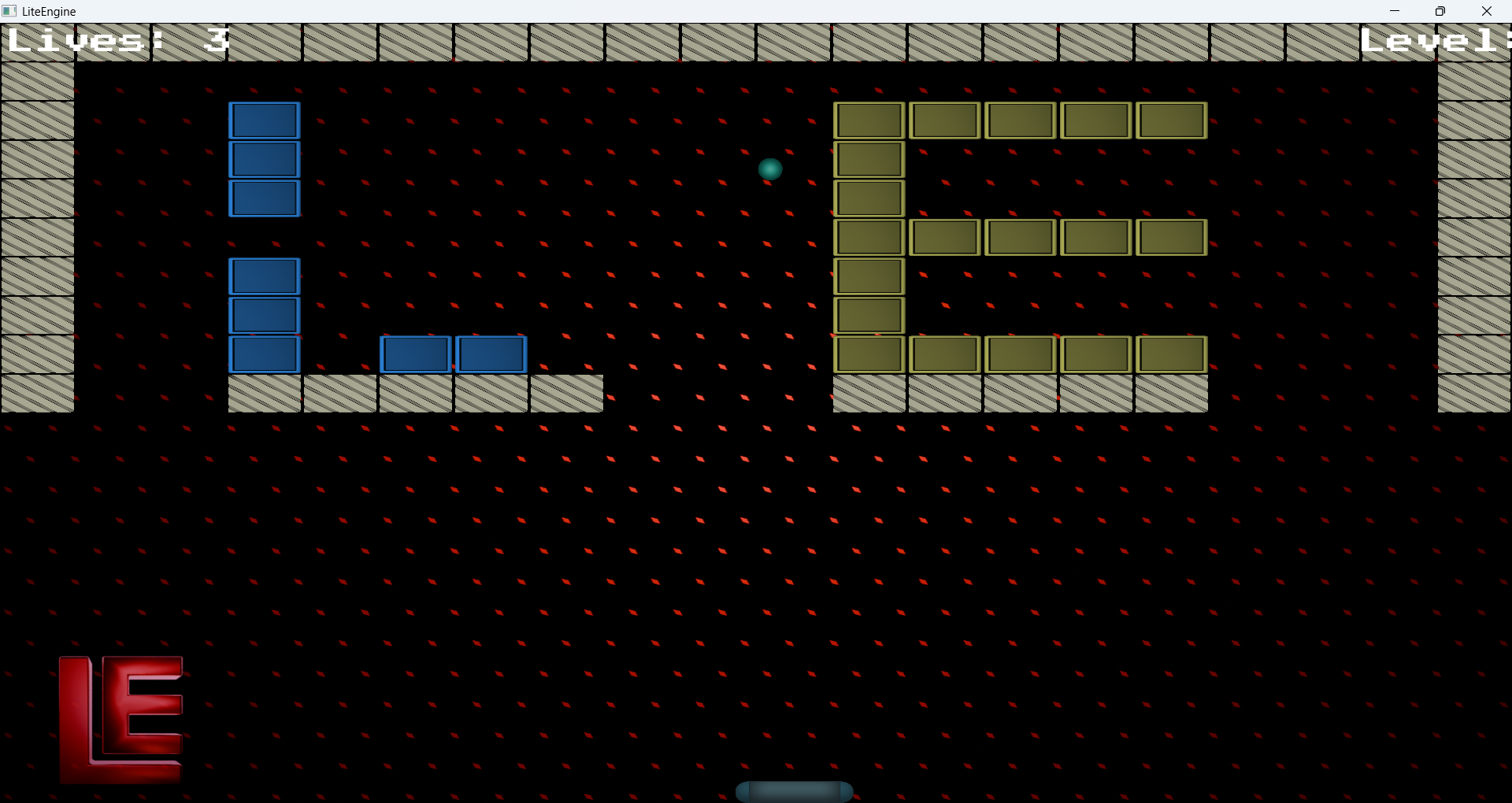
The demonstration game is a complete implementation of Breakout built directly on top of LiteEngine. It runs as a client layer inside the Sandbox, using Renderer2D for all quad drawing, the OrthographicCamera for projection, and the ShaderLibrary for effect shaders. The implementation follows the learnopengl.com Breakout tutorial, which targets the same underlying stack and maps cleanly onto what the engine already provides.
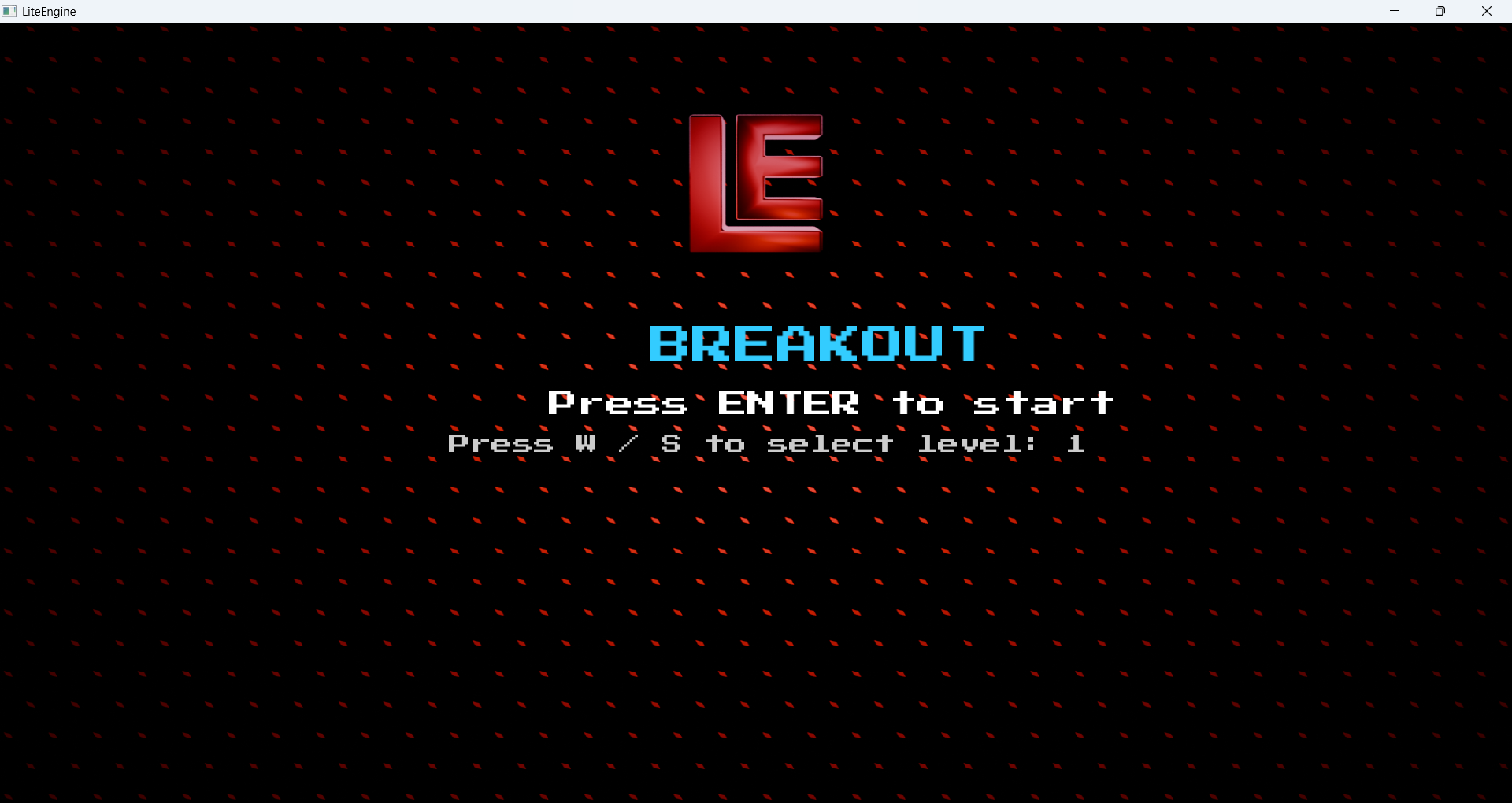
Core Gameplay
- A paddle is controlled horizontally by the player using keyboard input.
- A ball bounces off the walls, ceiling, and paddle, destroying bricks on contact.
- Levels load from plain-text tile-map files that define brick type, solidity, and color per cell.
- The player has three lives; losing the ball costs one. Clearing all non-solid bricks completes the level.
Implementation Phases
| Phase | Module | Details |
|---|---|---|
| 1 | Window & Game Loop | GLFW window, Glad loader, fixed-timestep update loop |
| 2 | Sprite Rendering | Texture loading, UV mapping, quad draw via Renderer2D |
| 3 | Resource Manager | Shader and texture cache with a singleton resource manager |
| 4 | Game State Machine | GAME_MENU, GAME_ACTIVE, GAME_WIN states with transition logic |
| 5 | Level Loading | Plain-text tile-map parser mapping brick type, solidity, and color |
| 6 | Ball & Paddle Physics | Velocity integration, boundary clamping, angle-based bounce |
| 7 | Collision Detection | AABB test per brick with directional resolution on the closest axis |
| 8 | Power-Ups | Sticky, Pass-Through, Pad-Increase, Confuse, Chaos |
| 9 | Text Rendering |
Bitmap font atlas rendering lives and HUD text to the screen |
| 10 | Audio | irrKlang integration for background music and event-driven SFX |
Power-Up System
- Sticky — ball adheres to the paddle on contact and releases on the next player input.
- Pass-Through — ball ignores bounce physics and destroys bricks on contact without deflecting.
- Pad Size Increase — temporarily widens the paddle for a set duration.
- Confuse — applies a full-screen color invert and distortion effect via the post-processing pass.
- Chaos — stacks edge detection, rotation, and shake into a disorienting screen effect.
HUD and Audio
FreeType builds a glyph texture atlas; lives and score are rendered to screen each frame using an orthographic projection. irrKlang drives looping background music and event-triggered SFX for collisions, power-up pickups, and game-over.
Results
All core engine systems are operational and tested. The Renderer2D DrawQuad API renders flat-colored and textured quads correctly at real-time frame rates. The OrthographicCameraController responds accurately to zoom and pan input, and the ImGui debug overlay runs on top of the game layer without interfering with rendering.
The Breakout game demonstrates that LiteEngine is capable of supporting a complete interactive application. Level loading, collision resolution, five distinct power-up types, a particle trail, multi-pass post-processing effects, FreeType HUD rendering, and audio playback all work together in a single release-mode executable.
Several engineering challenges came up during the project and were fully resolved: line-ending corruption in the ImGui submodule's binary font data, CRT linker conflicts from mismatched runtime library settings across vendor Premake files, and texture rendering crashes introduced by unrequested AI-generated code insertions. Working through each of these built a clear understanding of how the build system and rendering pipeline fit together.
Conclusions and Future Scope
- Complete the batch rendering pass in Renderer2D — accumulating quad geometry into a single VBO per frame and flushing in one draw call.
- Add a 3D renderer with perspective projection, scene graph, and a PBR-ready material system.
- Introduce an Entity Component System as the primary object model for managing game entities.
- Integrate Box2D for rigid body physics, collision shapes, and constraint joints.
- Extend the platform layer to support Linux and macOS, leveraging the existing abstraction interfaces.
- Build a visual scene editor using ImGui panels for placing and configuring objects at runtime.
References
- Cherno's Game Engine Playlist: YouTube Playlist
- learnopengl.com — Breakout Tutorial: learnopengl.com
- Dear ImGui (docking branch): GitHub
- GLFW Documentation: glfw.org
- Premake5 Documentation: premake.github.io
- glm: GitHub
- spdlog: GitHub
- stb_image: GitHub
Team
Team Members
- Tanmay Gaur
- Adithya Shyam D.
Mentors
- Purva Siddapurmath
- Shishir
- Rakshith Ashok Kumar
Report Information
Team Members
Team Members
Report Details
Created: April 7, 2026, 10:56 p.m.
Approved by: Sanjay S Bhat [CompSoc]
Approval date: None
Report Details
Created: April 7, 2026, 10:56 p.m.
Approved by: Sanjay S Bhat [CompSoc]
Approval date: None